

Z Image Turbo was released at the end of November by Alibaba Tongyi Lab, was quickly praised for its small size, strong prompt adherence, and photo-realism.
Draw Things is promised to be the most efficient way to run generative media on your Apple devices. When Z Image Turbo arrived, we knew we had to support it and rigorously quantify its performance and quality claims.
Z Image Turbo is a 6B-parameter DiT model that borrows many of the most successful tweaks from DiT models developed over the years. Our 6-bit–quantized variant, fully loaded into RAM, occupies only ~4 GiB, making it an ideal always-on sidekick for your design tasks. This stands in stark contrast to the ~11 GiB required by Qwen Image.
It is also a step-distilled model out of the box, so no separate Lightning LoRA is needed.
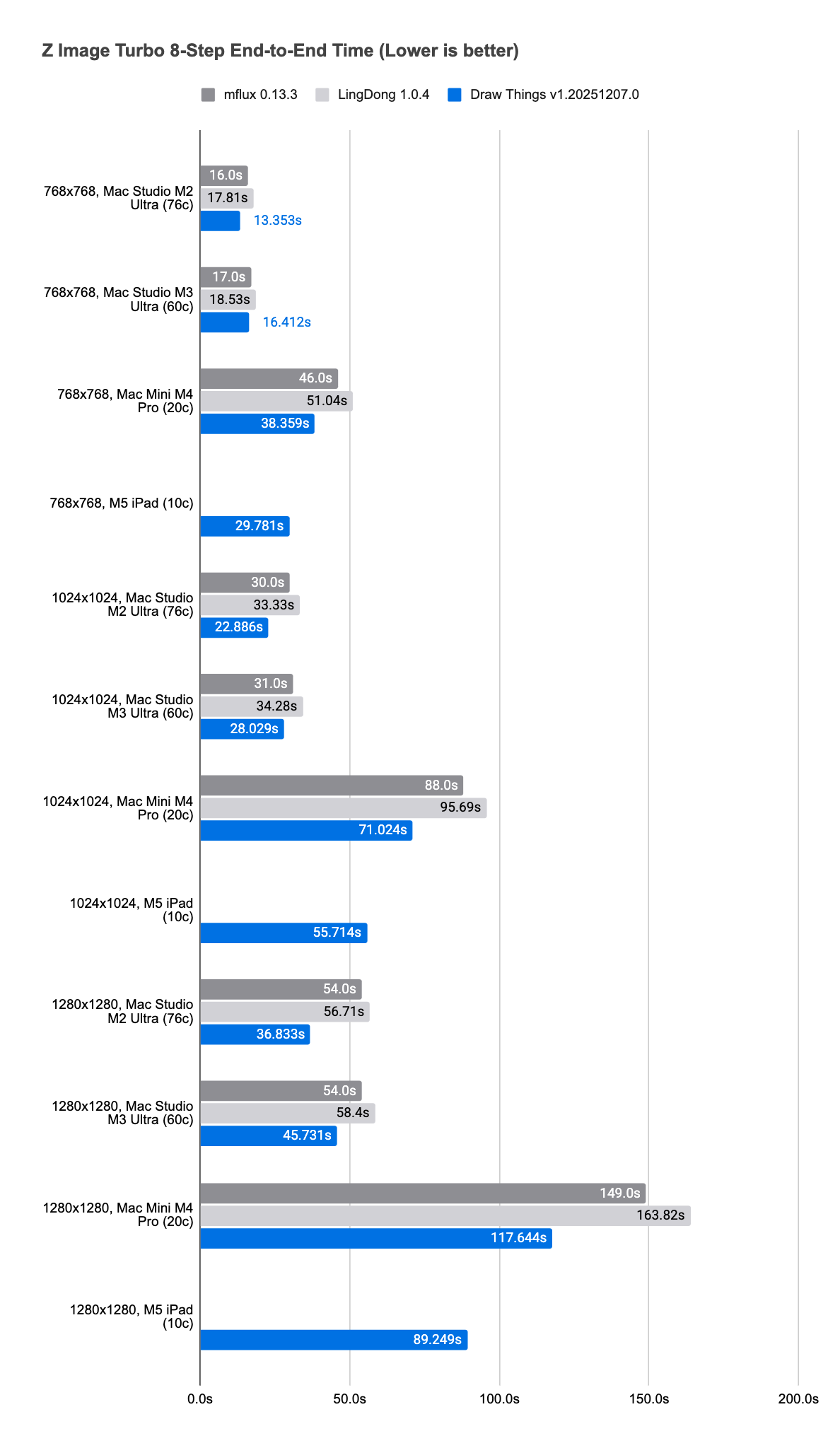
To properly evaluate Z Image Turbo, we first invested in an efficient implementation. Across a wide range of Apple devices, the Draw Things implementation is up to 54% faster than other available implementations.
An apples-to-apples comparison shows that Z Image Turbo is not dramatically faster than previous models on a per-step basis. It delivers a 1.01×–1.23× improvement over FLUX.1 [dev], a 1.31×–1.41× improvement over Qwen Image, and a 1.31×–1.45× improvement over HiDream [fast], all measured per step.
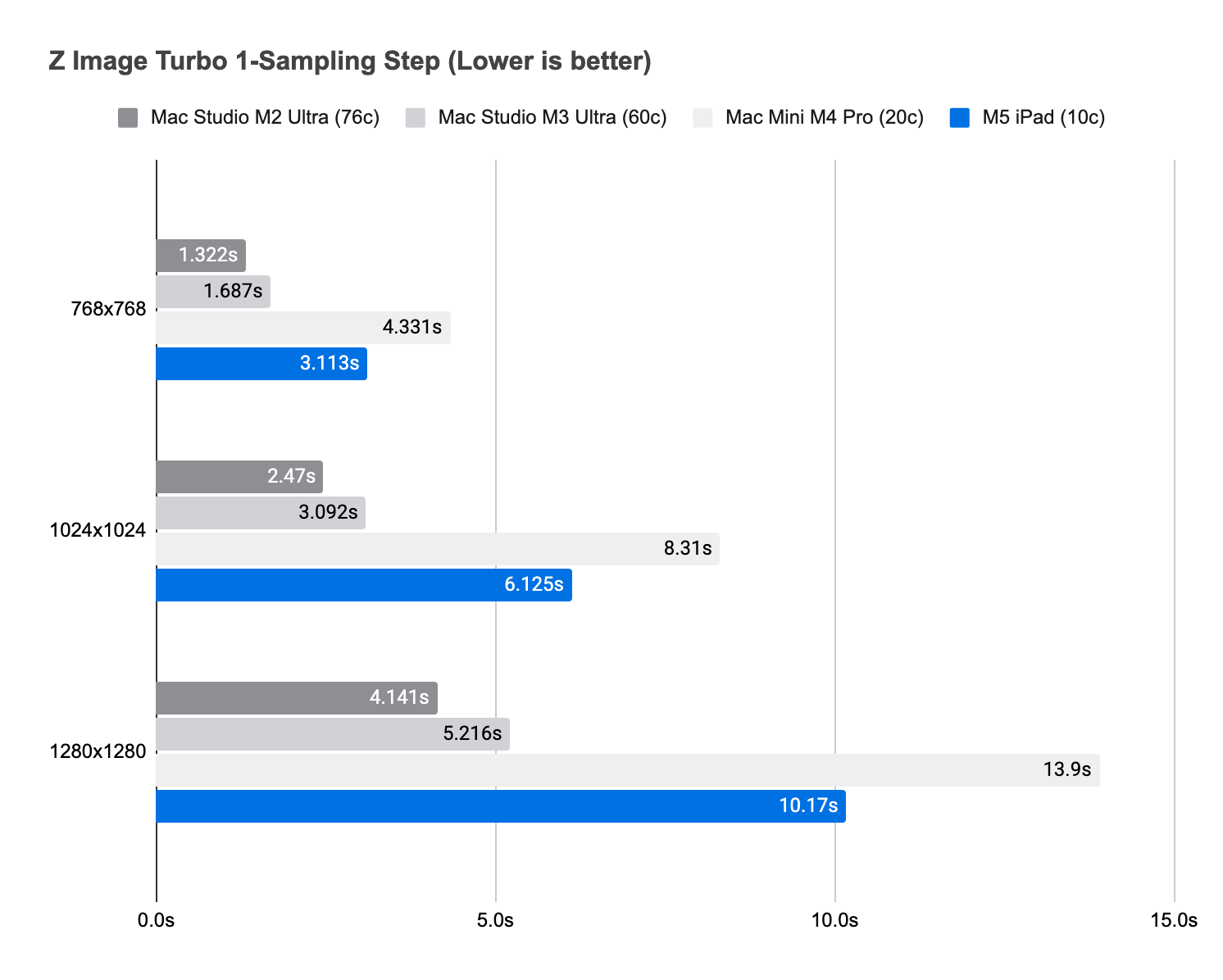
However, Z Image Turbo’s versatility and low RAM requirement make it excellent for rapid iteration and, in practice, it often feels faster to use.
Prompt: 35mm analogue full-body portrait of a beautiful woman wearing black sheer dress, catwalking in a busy market, soft colour grading, infinity cove, shadows, kodak, contax t2


Like Qwen Image and other recently released models, it also handles a wider range of resolutions more gracefully.


There are more cases we would like to share when we added more recent released models to our app, stay tuned!
I love Draw Things! What about training ZIT loras? Is that coming?
Today I downloaded and tried Draw Things with Z Image Turbo on my M3 Max equipped Macbook Pro with 64 BG RAM. No matter what I try, when I generate an image, I will quickly see a low res image pop up, and then after the 8 passes, the result is always blank — as in transparent. I can see the checkerboard behoind the image area. What am I doing wrong?